

-
 My Stable
 -
 Showing
 -
 Advanced Facilities
 -
 Community
 -
 Upgrade
 -
 Resources
X
No store required
Add to your home screen
Get a sleek, app-like experience without visiting your browser every time.
Instant access
Launch straight from your home screen — no browser needed
Full screen gameplay
Runs minimal browser chrome, giving you more screen space
Add to your home screen
How to set it up in Safari:
1
Tap the Share button at the bottom of your screen
2
Scroll down and tap Add to Home Screen
3
Tap Add in the top-right corner
Add to your desktop
Install the game as an app for quicker access and a cleaner experience.
Instant access
Launch from your taskbar or desktop — no browser tab hunting
Its own window
Runs in a dedicated window with minimal browser chrome cluttering the UI
HGG Community Forums
Log In to HorseGeneticsGame
HGG Community Forums
Join our discord server!
Howdy, Stranger!
It looks like you're new here. If you want to get involved, click one of these buttons!
Categories
- All Discussions10,475
- Announcements788
- HAJ Discussion9,334
- ↳ New Member Introductions28
- ↳ Help Me Out1,103
- ↳ Horses for Sale and Auction2,829
- ↳ Breeding Ads and Sales1,236
- ↳ Herd Helpers2,193
- ↳ Bug Discussion27
- ↳ Repair Log0
- General Discussion353
- ↳ Saddle Sisterhood25
- ↳ Games, Contests and Giveaways123
- ↳ Genetics84
In this Discussion
- Ammit April 2023
- ChapelHillFarm April 2023
- LookingGood April 2023
- RamshornRanch April 2023
- TripleGFarm April 2023
- Walywoohoo April 2023
Try out an alpha version of Pseudo-Depth in the Advanced Tack Editor
-
We are on a continuing mission to give you even greater control over your horse images. We are excited to share our alpha release of pseudo-depth.
Before:
After:
What is pseudo-depth?
Our images are flat and have no real third dimension to them but you can now "push" your horse back into the image by dragging it vertically on the canvas creating a false sense of depth. It's not real depth because you must still manually update the layering order of items
Why an alpha?
Going to be frank here, this release was a huge amount of work. We are massively over our time budget on this project and we know it still has a ways to go before it is fully releasable. That is why it currently works if you open up the advanced tack editor and play with it, but it will not work for any refreshes of the image.
If you refresh the image the horse will go back to its default size, but if you open the advanced tack editor again it will show the scaled version.
What we need from you?
Tell us what you like, what is not working, what could be improved etc. Feedback will help us get this dialed in and working smoothly.
Issues we know about.
We are aware of and currently working on addressing the horse jumping horizontally when you click on it, and some strangeness with deleting/duplicating/removing of items sometimes happening in an off fashion.
Oh also tack items now "stick" to the horse and move and scale when you move the horse around. Find an item that is behaving like tack and should not be (or the other way around) please let us know so we can adjust it.Need to contact me? Read this first.
I sometimes get busy and miss things. If your private message, question, etc. gets missed please ping me so I can follow up with you. I am also always happy to explain or clarify. (HAJ does not have a customer service email, please send me a forum message! )
she/her -
This is the first horse I've played with the new depth. As of now the only thing I noticed was I had to move the horse differently than before to get the barn pieces where they go. Im used to moving the horse almost of of the photo to move all the other things around. Also I don't think I'll be putting a ton of uppers, so to see the horse better. I'm going to keep playing with it. So far it's an awesome update!
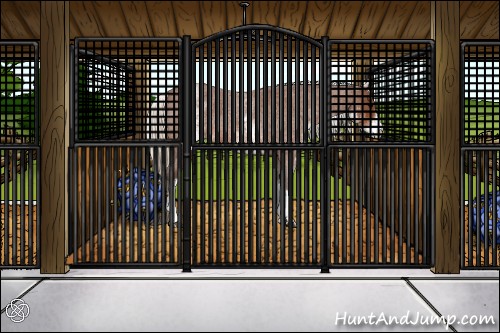
Hes Something Else
Edit*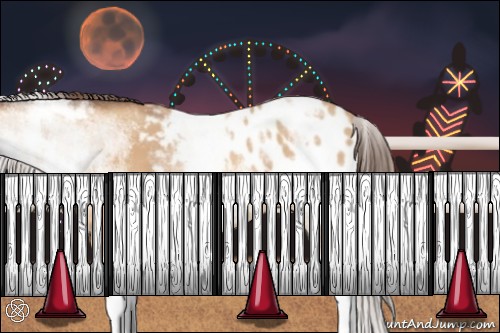
ShesAKeeper 2g
Before we were able to move the horse up and down to get them closer to the bottome of the picture etc. Now we can only move the horses side to side. As mentioned above "moving the horse is different." The "depth" is fun to play with. It would be nice to scale the horse and still move it up and down without resizing it by moving it up and down. I hope that'd made sense. I also know this is a work in progress. -
LookingGood you can already do that by using the arrow keys or the arrow keys provided on the page for you.Need to contact me? Read this first.
I sometimes get busy and miss things. If your private message, question, etc. gets missed please ping me so I can follow up with you. I am also always happy to explain or clarify. (HAJ does not have a customer service email, please send me a forum message! )
she/her -
My arrow keys don't work. I'm using my phone but I've never been able to use them. Maybe I should post in the bug section?
-
Use the arrows provided on the page for you then. :) We built it knowing some people don't have a keyboard.Need to contact me? Read this first.
I sometimes get busy and miss things. If your private message, question, etc. gets missed please ping me so I can follow up with you. I am also always happy to explain or clarify. (HAJ does not have a customer service email, please send me a forum message! )
she/her -
If you have a moment please try playing with this feature. We could really use some feedback. We can't make it the best working FOR YOU if we don't hear back from you on how you want this to work.
Thanks!Need to contact me? Read this first.
I sometimes get busy and miss things. If your private message, question, etc. gets missed please ping me so I can follow up with you. I am also always happy to explain or clarify. (HAJ does not have a customer service email, please send me a forum message! )
she/her -
I'll try to play around more later, but today is the last day of my premium upgrade, so I'll be breeding embryos every chance I get lol. I also can't move the horse using arrow keys. I was never able to use them so I assumed they were for desktop. When I tap them they don't do anything. I have a Samsung, if that matters...
I do love the depth options though! -
Walywoohoo are you talking about the arrows in your phone keyboard or these arrows?
 Need to contact me? Read this first.
I sometimes get busy and miss things. If your private message, question, etc. gets missed please ping me so I can follow up with you. I am also always happy to explain or clarify. (HAJ does not have a customer service email, please send me a forum message! )
she/her -
Those arrows in your screenshot are what I'm talking about. I can move the horses side to side, but if I try to move them forward or back they only grow or shrink.
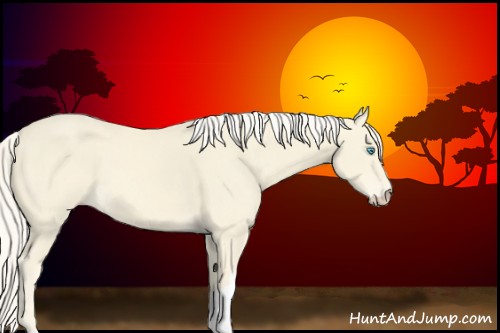
Limitless Dollar -
That is very strange as they were never programmed to change the horses' size. I don't know how they could be doing that if we never coded them to do that. They move the horse up and down normally for me.Need to contact me? Read this first.
I sometimes get busy and miss things. If your private message, question, etc. gets missed please ping me so I can follow up with you. I am also always happy to explain or clarify. (HAJ does not have a customer service email, please send me a forum message! )
she/her -
To clarify, the arrows don't do anything for me. I can see them kind of blink when I tap them as if they are being clicked, but nothing happens. I slide the horse around with my finger.
-
Ah, your comment confused me. I just tested it on my phone and they definitely are not working. I will let Haystack know.
ETA: I would guess they never worked on mobile and just no one ever told us lol.Need to contact me? Read this first.
I sometimes get busy and miss things. If your private message, question, etc. gets missed please ping me so I can follow up with you. I am also always happy to explain or clarify. (HAJ does not have a customer service email, please send me a forum message! )
she/her -
Lol sorry for the confusion, and thanks for looking into it, and sorry for never mentioning it :))Thanked by 1Ammit
-
I could have swore I had made a post yesterday about this very thing. Apparently never made it out of drafts. :-\"
-
-
So I logged back in after playing with this and the horse did not keep the size, placement, or direction
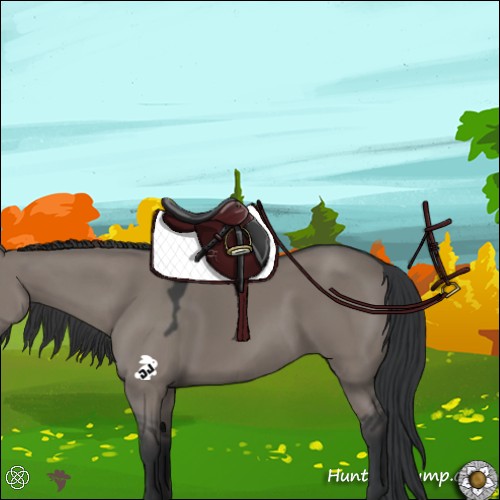
Mountain Mist
The tattoo also moved. I saved how I wanted everything and didn't refresh anything. Also horse is jumping out from finger/mouse when trying to move it around.
-
Logging in can not change the horse's image. Only a refresh can do that.
The image jumping horizontally is something we know about and I mentioned in the op. :)Need to contact me? Read this first.
I sometimes get busy and miss things. If your private message, question, etc. gets missed please ping me so I can follow up with you. I am also always happy to explain or clarify. (HAJ does not have a customer service email, please send me a forum message! )
she/her -
I noticed that when I first go to move the horse "forward" or "back" the tack seems to move out of place, and then after scales and moves properly with the horse.
The halter started out in the proper position on the head when I entered the tack editor. When I went to move the horse, the halter moved slightly to the right, and thereafter scaled and moved with the horse floating slightly to the right of the head.
I moved the halter back to its proper position, after that it would then scale and move properly with the horse without moving out of place.Ramshorn Ranch
Formerly Ramshorn Sport Horses
ID# 12824 -
The tack now moves with the horse. Wow, I totally love it. What a great update. Thank you so much. I am working on changing a few horses and will provide updates if I see them. So far, I love it!
My favorite tack set has just got better. Oh happy day. :D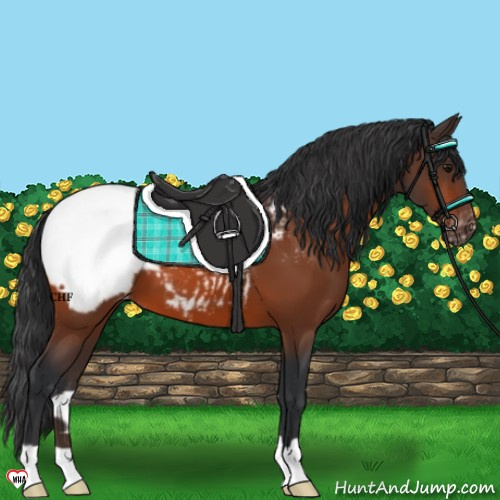
CHF5 Heros CloudForest Server - Chapel Hill Farm. ID# 54714 (Basic account)
Mesa Server - Chapel Hill Farm. ID# 9542 (Premium account)


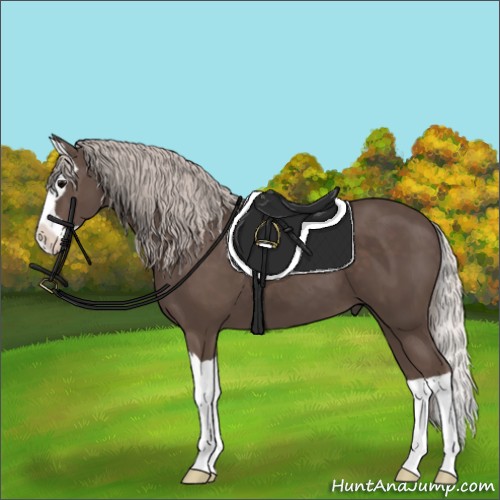


Join our discord server!
 News & Alerts
8/30/2026 12:10 AM EST
New Derby Day!
The Outer Space Dress-Up Derby is accepting entries until the end of the week.8/26/2026 2:20 AM EST
Were you a fan of the old satin gene appearance? You can now add it as a tack item. "Original Satin Shimmer" can now be found in the "Luster Dust 1" tackpack.
8/23/2026 12:10 AM EST
New Derby Day!
The Trail Ride Dress-Up Derby is accepting entries until the end of the week.8/21/2026 12:56 AM EST
Introducing the Shape Primitives tack pack. This collection contains lots of color changeable basic shapes to help you bring your designs to life. Unlockable now on the "Tack Pack Manager" page.

8/18/2026 1:54 PM EST
The game has been experiencing occasional bursts of DDoS traffic, which have caused short outages over the past couple of months.
We’re working to mitigate the issue, but it’s still a work in progress. There may be additional outages, and you might notice some unusual behavior while we test different solutions. For example, you may encounter more Cloudflare verification pages or temporarily find yourself locked out of the forums.
Thanks for your patience while we work through this.
We’re working to mitigate the issue, but it’s still a work in progress. There may be additional outages, and you might notice some unusual behavior while we test different solutions. For example, you may encounter more Cloudflare verification pages or temporarily find yourself locked out of the forums.
Thanks for your patience while we work through this.
 Bonus Stall Progress
0%